HiPDF
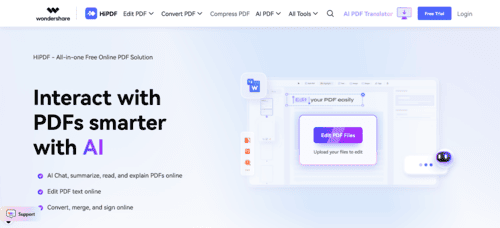
HiPDF: AI-Powered PDF Management, Editing, and Conversion
HiPDF is a complete online solution for managing PDF files quickly, securely, and without complications, designed for students, teachers, professionals, and teams who work with documents daily. From the browser, users can convert PDFs to Word, Excel, PowerPoint, or images, edit text and images directly, compress files to reduce size, merge documents, split pages, or crop margins with precision. Everything is done through a simple and smooth interface, without the need to install heavy software, maintaining a clean and efficient user experience.
In addition, HiPDF includes advanced artificial intelligence features that enhance productivity in document-related tasks. It allows users to summarize long PDFs, answer specific questions about the content, translate documents into more than 50 languages, and generate outlines or concept maps from lengthy texts. It also includes essential tools for professional environments such as electronic signatures, irreversible deletion of confidential data, password protection, and multilingual OCR to extract text from scanned documents. With pre-designed templates for invoices, resumes, and legal documents, HiPDF becomes a versatile platform for organizing notes, preparing educational resources, signing digital contracts, or securing sensitive reports efficiently.
⚡ Key Features of HiPDF
◉ Complete solution for managing PDF files – An online platform to edit, convert, organize, and protect PDF documents easily.
◉ PDF editing and modification – Change text, images, and visual elements inside your PDFs without complicated software.
◉ Format conversion – Convert PDFs to Word, Excel, PowerPoint, images, and other formats, and vice versa.
◉ AI-powered tools – Includes an intelligent reader, chat with PDF, automatic summaries, and text analysis.
◉ Organization and protection features – Split, merge, compress, rotate, password-protect, or unlock files easily.
◉ Advanced OCR – Converts scanned PDFs and images into editable documents using text recognition.
◉ Accessible and secure interface – Designed for non-technical users with data security and automatic file deletion after processing.
🎯 AI Tool Ideal For…
◆ Users who need to edit or organize PDFs without installing software.
◆ Professionals working with contracts, reports, and presentations.
◆ Students and teachers who handle PDF learning materials.
◆ Teams that need to automate document tasks using AI.
◆ Companies requiring OCR and advanced PDF management.
💻 Platform and Compatibility
◉ Web access – Works entirely from the browser without installation.
◉ Compatible with multiple devices – Usable from computers, tablets, and smartphones.
◉ Fast and simple workflow – Drag-and-drop files to streamline PDF tasks.
◉ Integration options – Some features can connect with external applications or workflow systems.
💵 Plans and Pricing (Approximate)
◆ Free trial – Free access to explore the platform and its essential tools.
◆ 7-Day Basic Access – 0.95 USD for premium access for 7 days.
◆ 7-Day Advanced Access – 1.95 USD for full access to more powerful AI features for 7 days.
◆ Monthly AI Plan – 3.99 USD/month with access to AI features (1,000 uses per month).
◆ Basic Plan – 39.95 USD/year including premium PDF tools, OCR, and batch processing.
◆ Advanced Plan – 69.95 USD/year with more AI usage and complete PDF management tools.
Prices may vary depending on country, promotions, and billing type.
Share on social media
Reviews

Excelente herramienta impulsada por IA para chatear en PDF.