Transkriptor
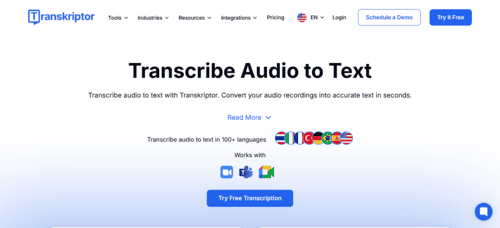
Transkriptor: AI-Powered Automatic Audio and Video Transcription to Text
Transkriptor is an automatic transcription tool powered by artificial intelligence that converts audio and video into editable text quickly and accurately. It is designed to transform meetings, interviews, classes, podcasts, or professional recordings into clear documents, with up to 99% accuracy and support for more than 100 languages.
With Transkriptor, you can upload files such as MP3 or WAV, import videos directly, record from the browser using its Chrome extension, or connect the tool to Zoom, Google Meet, and Microsoft Teams for live transcriptions. It also includes advanced features such as speaker identification, timestamps, and automatic summaries that extract key ideas, action items, and even sentiment analysis.
Transkriptor is especially useful in industries where time and documentation are critical, such as law, healthcare, psychology, consulting, journalism, and content creation. It is also ideal for generating subtitles in SRT/VTT format to improve accessibility and SEO. The platform allows exporting transcripts in TXT, DOCX, or PDF formats, editing collaboratively with teams, automatically translating content, and organizing all transcriptions into a searchable knowledge base. With mobile apps for iOS and Android and ultra-fast processing, it reduces hours of manual work and converts speech into text with professional efficiency.
⚡ Key Features of Transkriptor
◉ AI transcription platform – Converts audio and video into text with high accuracy for interviews, meetings, classes, or podcasts.
◉ Multilingual speech recognition – Transcribes in more than 100 languages with fast and consistent results.
◉ Interactive text editing – Allows users to correct, reorganize, and improve transcripts within the built-in editor.
◉ Speaker identification – Separates voices in multi-speaker conversations for better clarity.
◉ Automatic timestamps – Ideal for reviewing recordings, reports, and audiovisual content.
◉ AI-powered summaries and analysis – Extracts key ideas, action items, and important points without reading the entire transcript.
◉ Flexible export options – Download results in TXT, DOCX, PDF, or subtitle formats such as SRT/VTT.
◉ Live meeting integrations – Compatible with Zoom, Google Meet, and Microsoft Teams for automatic transcription.
◉ Chrome extension – Enables screen or microphone recording and instant transcription.
🎯 AI Tool Ideal For…
◆ Journalists and content creators who need to transcribe interviews quickly.
◆ Marketing teams working with podcasts, webinars, and video content.
◆ Professionals who need to document meetings without taking manual notes.
◆ Lawyers, doctors, and psychologists who require clear and organized transcripts.
◆ Companies looking to improve accessibility and SEO with automatic subtitles.
💻 Platform and Compatibility
◉ Web access – Works directly from the browser without installing software.
◉ Mobile applications – Available for iOS and Android.
◉ Compatible with multiple formats – Supports common audio and video files (MP3, WAV, etc.).
◉ Integration with external platforms – Connects with video conferencing tools and professional workflows.
◉ Multi-device usage – Works on computers, tablets, and smartphones with an internet connection.
💵 Plans and Pricing (Approximate)
◆ Free Plan – Limited transcription to test the tool and generate short texts.
◆ Pro – From 8.33 USD/month billed annually, including up to 2,400 minutes per month and full AI features.
◆ Team – From 20 USD/month per user billed annually, offering 3,000 minutes per user per month and collaborative workspaces.
◆ Enterprise – Custom plan for companies with higher volume needs, security requirements, and advanced integrations.
Prices may vary depending on country, promotions, and billing type.
Share on social media
Reviews

Excelente herramienta de audio impulsada por IA.